
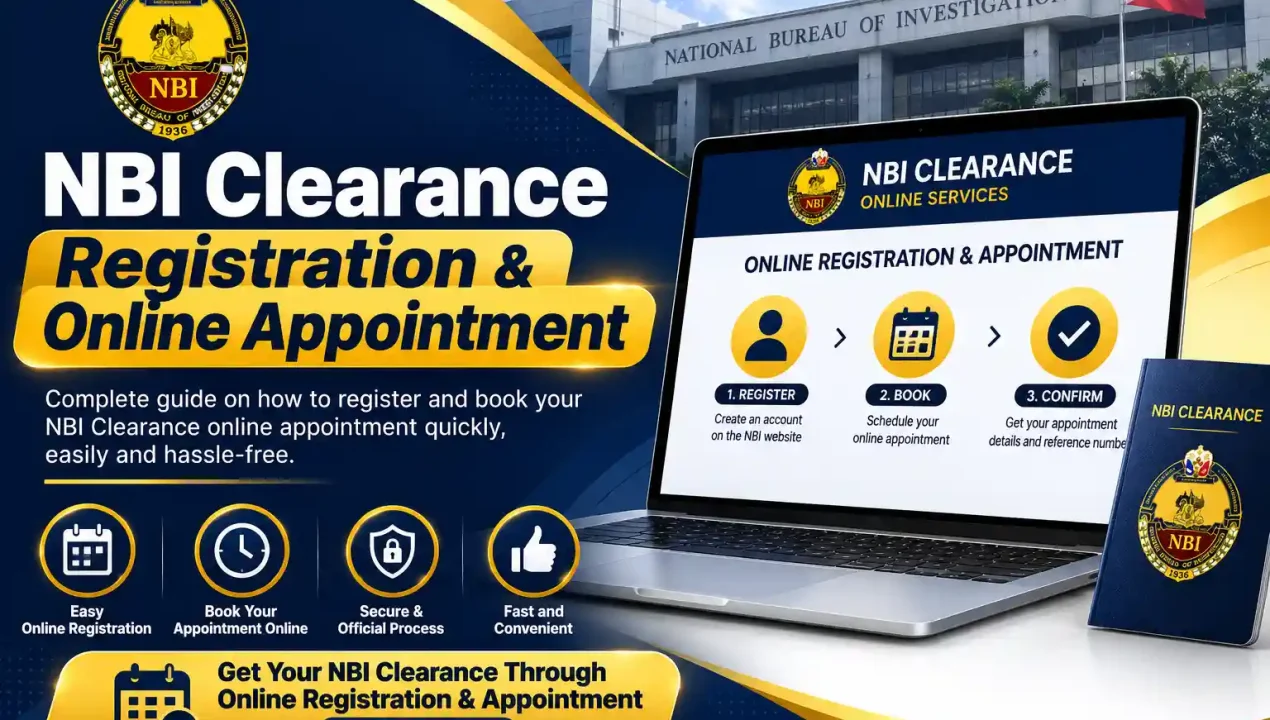
NBI Clearance Registration & Online Appointment
What is NBI Clearance Registration
NBI clearance registration is the process of creating your profile in the National Bureau of Investigation online registration system. This is different from booking an NBI clearance appointment or paying a fee. Registration comes first. Once your account and personal details are saved, you can proceed to the next steps of your NBI clearance application.
This process is sometimes called NBI Clearance registration or simply NBI online registration. No matter what you call it, the main goal is to add your name, birth details, and contact information to the NBI database before you book any appointment or visit any branch.
Why Registration is Required Before Appointment
You cannot book your appointment without registering on the NBI portal. Registration is a process in which you have to submit your documents to NBI, and it also helps you log in to your account directly without any difficulty. Once you register yourself, you don’t have to fill in your information again and again in the future. It also creates the account you will use to pay fees and track your application status later.
What are the requirements for NBI Online Registration
Valid Government IDs that are accepted
For an NBI Clearance application applicants should prepare two valid government issued IDs. Requirements can vary by applicant type so always check the current official NBI instruction before visiting a branch.
- Philippine Passport
- Driver's License
- UMID (Unified Multi-Purpose ID)
- PhilHealth ID (digital or physical)
- Postal ID (PVC type only)
- Voter's ID or Voter's Certification
- SSS ID or GSIS ID
- PRC ID
- Senior Citizen ID
- PWD ID
Valid Government IDs that are accepted
- Active mobile number (for OTP verification)
- Working email address
- Basic personal details (full name, birth date, birthplace, civil status)
- Stable internet connection
How to Complete NBI Clearance Registration Online
Go to the Official NBI Clearance Website
The first step is to open the official website of NBI clearance. Make sure to check the web address carefully because fake websites also exist. Don’t upload any personal information on any other website except clearance.nbi.gov.ph.
Check if You Already Have an Old Clearance from NBI
The system will ask if you have an existing clearance from 2014 onward. Answer this correctly, since it decides whether you complete a fresh NBI online registration or simply log in to your existing account.
Start the New Registration Form
If you don't have an old clearance, click on the new registration option to open the NBI register form online. Make sure you select the correct option before entering your personal details in the registration form.
Provide Your Full Name and Birth Details
Enter your complete name and all the required information correctly. Make sure everything matches your valid ID exactly. Check your birth details carefully before moving to the next step of the registration process.
Create Your Account Password
Set a secure password for your NBI account registration. Avoid using simple details like your birthdate or phone number. Choose a password that you can remember easily and keep your account information secure.
Agree to the Terms and Verify You're Not a Robot
Tick the checkbox to accept the terms of service, then complete the CAPTCHA to confirm you are a real applicant. Check that the required box is selected before moving forward with your NBI registration.
Confirm Your Mobile Number with OTP
Enter the one-time password sent to your phone within the given time limit. Once confirmed, your NBI clearance sign-up is complete and your account becomes fully active for nbi online registration.
NBI Clearance Register Online for New Applicants
Common Mistakes that Applicants Make during process
- Typing a nickname instead of their full legal name
- Entering the wrong birth date
- Mixing up their middle name and last name
- Not double-checking entries before submitting
What to Do if Email is Already Registered
NBI Clearance Register Online for Renewal Applicants
Not everyone starting the NBI online registration process is a first-timer. Many applicants already hold an old clearance and simply need to update their records. This section is for you if you fall in the NBI Clearance renewal category.
Do Renewal Applicants Need to Register Again
This is one of the most important questions asked by the applicants, and the answer depends on your clearance date. If you got your clearance from NBI after 2014, you don’t need to complete NBI online registration. Your details are already saved in the system, and checking your NBI Clearance validity can help you know when you need to renew your clearance. You can easily log in to your previous account by using your registered email.
Difference Between New Registration and Renewal
| Aspects | New applicants | Renewal applicants |
|---|---|---|
| Database Status | Your name and details do not exist in the NBI system yet | Your record already exists from a previous clearance |
| Type of Process | Must complete a full NBI new registration from the start | Only needs to confirm or update the existing record |
| Information Required | Full details required: complete name, birth date, birthplace, address, civil status, and valid ID information | Only the details that have changed since last time, usually address or civil status |
| Login/Account | New account and password must be created | Old account and login details (if remembered) can be used directly |
| Time Needed to Complete | Takes longer, since every field must be filled manually | Much faster, since most information is already saved in the system |
| Best For | People applying for NBI clearance for the very first time | People with a valid old clearance (2014 onward) who just need an update |
After Registration: What Happens Next
Booking an Appointment After Successful Registration
Once your NBI online registration is successfully completed, the very next step is to book your NBI online appointment. To complete your NBI clearance appointment, log in to your registered account and select your preferred branch from the list of available locations. After choosing a branch, pick a convenient date and time slot from the calendar. Keep in mind that slots for popular branches, especially those in major cities, tend to fill up fast. If you complete your NBI clearance appointment online early in the day, you’ll usually have more available time slots to choose from for that same week.
Paying the Clearance Fee
Common NBI Clearance Registration Problems
OTP Not Received During Registration
Registration Form Not Submitting
Link for NBI Online Registration Not Opening
FAQs
Yes, creating your account and registering your details is free. Fees only apply once you book your appointment.
Yes, the NBI Clearance registration portal works on mobile browsers, though a stable internet connection is recommended to avoid form errors.
For most applicants with documents ready, the registration process takes around 10 to 15 minutes.
Minor errors can sometimes be corrected before your appointment. However, major mismatches with your ID may require you to contact NBI support directly or redo the registration.
No, each applicant must use their own personal email address. Using a shared or duplicate email can cause account conflicts.
You can only complete your application for NBI online through the official clearance nbi gov ph registration portal. Avoid third-party websites, as they are not authorized to process your NBI clearance registration and may put your personal information at risk.
Pingback: NBI Clearance Renewal Complete Guide Steps and Fees 2026
Pingback: NBI Clearance Validity 2026 Guide for Renewal & OFWs