
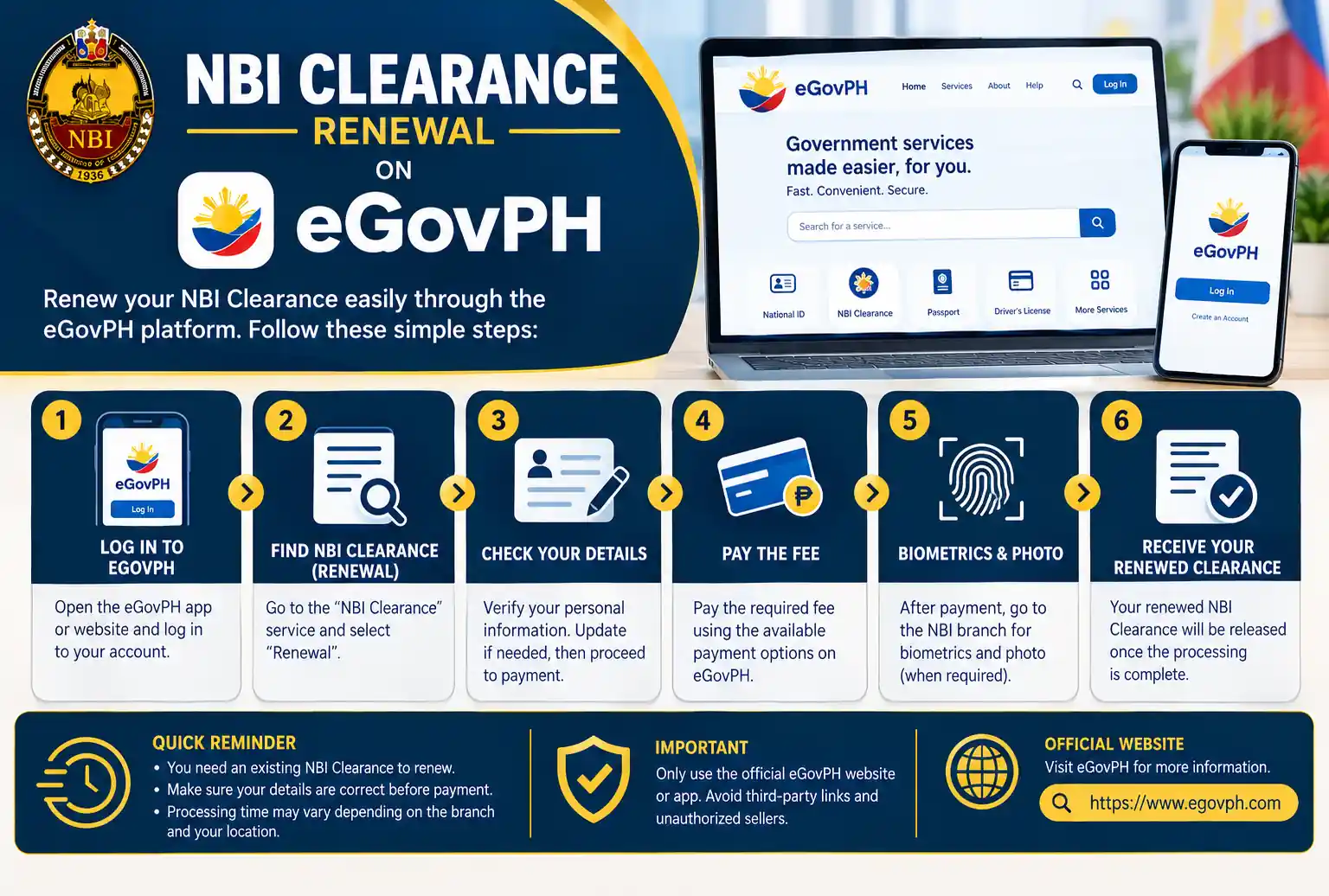
NBI Clearance Renewal on eGovPH: How to Renew Without Visiting an NBI Office
If you’ve renewed your NBI clearance before, you know the routine. Log in, pay online, then still line up at a clearance center just to pick up the printed copy. It works, but it waste your half day. That’s changing now. NBI clearance renewal on eGovPH is live, and NBI says eligible users can renew in about five minutes, right from their phone, no branch visit or standing in line.
This guide covers who can use it, how it works step by step, and when you still need the regular process.
What Is NBI eClearance on the eGovPH Super App?
NBI eClearance is a government digital service available through the eGovPH Super App, the government’s all in one mobile app. DICT and the NBI formally launched it on July 6 in Pasay City. Once you’re verified in the app, you can view your existing NBI clearance, renew it, and get a digital copy, all in one place. It runs on the same NBI system behind the website, so your record is already there. That’s why NBI Clearance renewal on eGovPH is faster than applying for online appointment .
The app also covers other things, such as eTravel passes, SIM registration, and digital IDs. So your NBI clearance becomes just one more errand you can finish from your phone.
Who Can Renew an NBI Clearance Through eGovPH?
When you want to apply for an NBI Clearance renewal on eGovPH, two conditions matter.
- A verified eGovPH account. Users must have a verified account to access the service. Downloading the app and signing up isn’t enough. If you haven’t verified yet, do it well before your clearance expires so you’re not scrambling later.
- An existing NBI clearance. This is a renewal service, not a first-time application. First-time applicants still have to visit an NBI office for biometric capture. If it’s your first clearance, start with the regular NBI clearance registration process instead.
How can we apply to get an appointment at NBI Clearance
Sign In to Your Account
Open the eGovPH Super App and sign in to your verified account.
Find NBI Under NGAs
Tap "NGAs" and select National Bureau of Investigation (NBI).
Open NBI eClearance
Choose NBI eClearance and let the app pull up your existing record.
Check Your Personal Details
Check your name, birthdate, and birthplace for errors before next step.
Select Renewal
Select the renewal option and follow the on-screen prompts.
Complete Payment
Pay using whichever payment option the app offers you.
Get Your Clearance
Wait for processing, then open your digital copy, or arrange pickup or delivery for a printed one.
eGovPH vs the NBI Clearance Website: What's Different?
| Feature | eGovPH Super App | NBI clearance website |
|---|---|---|
| Account needed | Verified eGovPH account | NBI clearance account |
| Appointment for renewal | Not needed | Not needed |
| Digital copy in the app | Yes | No |
| First-time applicants | Not supported | Register, then visit a center |
How Much Does NBI Clearance Renewal on eGovPH Cost?
Will Employers and Agencies Accept the Digital Copy?
This is the question most people skip, and it’s worth asking. It isn’t yet clear whether every employer and government agency will accept the digital copy in place of a printed clearance. Before you rely on it, ask the office that requested your clearance. HR departments, embassies, and licensing bodies all have their own rules. If you’re applying for a visa or working abroad, the printed copy is the safer choice.
How Long Is a Renewed NBI Clearance Valid?
An NBI clearance is valid for one year. Employers often prefer one issued within the last few months, so renewing too early can work against you if a company wants a recent date. If you’re an OFW or need the clearance for a visa, read our NBI clearance validity guide before you renew.
Common Problems and Quick Fixes
Here are some common issues which are faced by applicants during the process:
The renewal option doesn't appear
Your details don't match your records
The app is slow or won't load.
You're stuck with a "hit
FAQs
No. The service covers renewals, and new applicants still need biometrics at an NBI clearance center.
No. Renewal doesn't require one, whether you use the app or the NBI website.
They're separate channels, but they connect to the same NBI system.
Conclusion
If you already have an clearance document, and you want to renew it. you can use NbI Clearance renewal on eGovPH. The main thing is that you need a verified account, and it doesn’t cover first-time applicants or anyone with changed personal details. Verify your account before your clearance expires, check the fee in the app, and confirm with your employer that a digital copy works.